

Managing your money should be simple, fast, and secure—and that’s exactly what Bank of America Online Banking offers you. Imagine having all your checking, savings, credit, and investment accounts right at your fingertips, ready to access anytime you want.
Whether you need to pay bills, transfer funds instantly, or deposit checks without leaving home, Bank of America’s online platform puts you in control of your finances like never before. You’ll discover how easy it is to get started, the powerful features that make banking effortless, and the smart security tools designed to protect your accounts.
Ready to take charge of your financial life? Let’s dive into everything Bank of America Online Banking can do for you.
Credit: info.bankofamerica.com
Enrollment Process
Enrolling in Bank of America Online Banking is simple and quick. The process ensures your account stays secure while giving easy access to your finances. You can start enrollment on the website and finish it in minutes. Follow clear steps to create your online profile and begin managing your money anytime.
Starting Enrollment
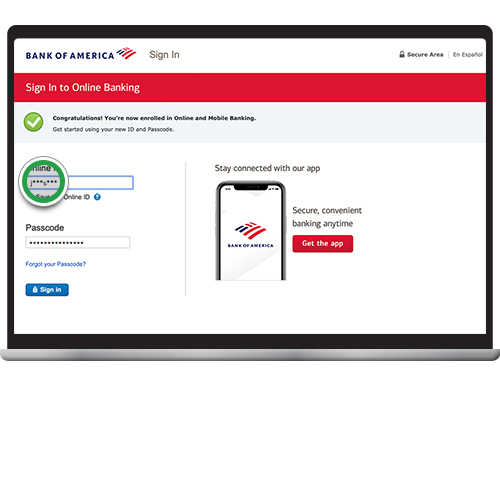
Go to bankofamerica.com and find the “Enroll” button in the login area. Click it to begin the sign-up process. You will need your account or card information ready. This step helps link your online profile to your existing Bank of America account.
Identity Verification
Enter the last six digits of your debit, credit card, or account number. Provide your Social Security Number or Tax ID number next. Add your email address for communication. This verification protects your account from unauthorized access.
Authorization Code
Bank of America will send an authorization code to your email. Check your inbox and enter this code on the website. The code confirms your identity and completes the verification step. This extra layer keeps your account safe.
App Integration
Your User ID and password for online banking also work with the Bank of America mobile app. Download the app on your phone or tablet to manage accounts on the go. The app offers features like mobile check deposit and alerts for easy banking anywhere.
Credit: info.bankofamerica.com
Key Features
Bank of America Online Banking offers many features that simplify money management. Users can handle daily banking tasks easily and securely. The platform works well on both desktop and mobile devices. This section highlights the key features that make online banking with Bank of America convenient and efficient.
Account Management
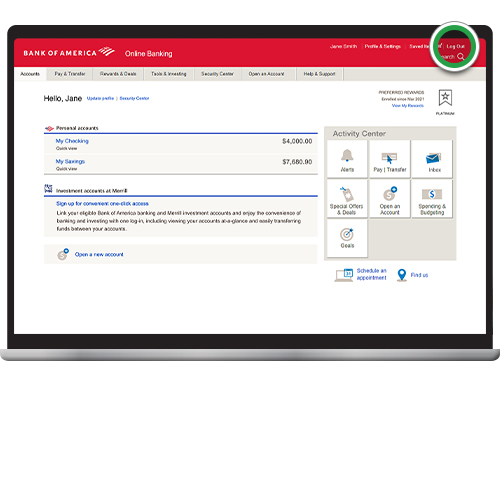
Users can view all their accounts in one place. Checking, savings, credit cards, and investments are easy to monitor. Account balances and recent transactions update in real time. This helps customers stay on top of their finances without hassle.
Fund Transfers
Transfer money quickly between Bank of America and Merrill accounts. Transfers are often immediate, making funds available fast. The platform supports both one-time and recurring transfers. Sending money to others within the bank is straightforward and secure.
Bill Payment
Pay bills electronically using the Bill Pay service. Schedule payments ahead of time to avoid missing due dates. Users can manage multiple payees and track payment history easily. This feature saves time and reduces the need for paper checks.
Mobile Check Deposit
Deposit checks by snapping a photo with the mobile app. This removes the need to visit a branch or ATM. The process is quick and secure, with instant confirmation of deposits. It is a convenient way to add funds anytime, anywhere.
Card Controls
Lock or unlock debit and credit cards instantly from the app or online. This helps protect accounts from unauthorized use. Users can also report lost or stolen cards quickly. Card controls provide peace of mind and better security management.
Security Measures
Bank of America prioritizes customer safety through advanced security measures. These protections guard your personal and financial information while you use online banking. The bank uses multiple layers of security to create a safe banking environment. Understanding these features helps you feel confident managing money online.
Data Encryption
Bank of America uses strong data encryption to protect your information. Encryption changes data into a secret code during transmission. This prevents hackers from reading your details. All online and mobile transactions use secure encryption methods. This ensures your data stays private and safe from theft.
Security Tools
The bank offers several security tools to keep accounts secure. Users can access the Security Center to manage their protections. Tools include card lock/unlock features and password management. These help prevent unauthorized access and allow quick action if needed. Security tools make it easier to control your account safety.
Alerts And Monitoring
Bank of America provides alerts for unusual or suspicious activity. You can set up notifications for transactions and login attempts. The bank monitors accounts 24/7 to spot threats early. Alerts help you react quickly to possible fraud. Continuous monitoring adds an extra layer of defense.
Safe Login Practices
Using safe login practices boosts your account security. Always create a strong, unique password for online banking. Avoid saving your User ID on public or shared devices. Enable multi-factor authentication for extra protection. These steps reduce the risk of unauthorized account access.
Mobile App Benefits
Bank of America’s mobile app offers many benefits for easy banking on the go. It makes managing your money fast and simple. The app includes features designed for quick access and enhanced security. Users can perform important tasks anytime, anywhere.
The mobile app combines convenience with powerful tools. It supports smooth navigation and instant updates. This helps users stay informed and in control of their accounts. Here are some key benefits that make the app stand out.
Face Id Access
The app supports Face ID for fast and secure login. You can open the app with just a glance. This feature adds extra security and saves time. No need to remember or type passwords every time. Face ID keeps your account safe from unauthorized access.
Mobile-specific Features
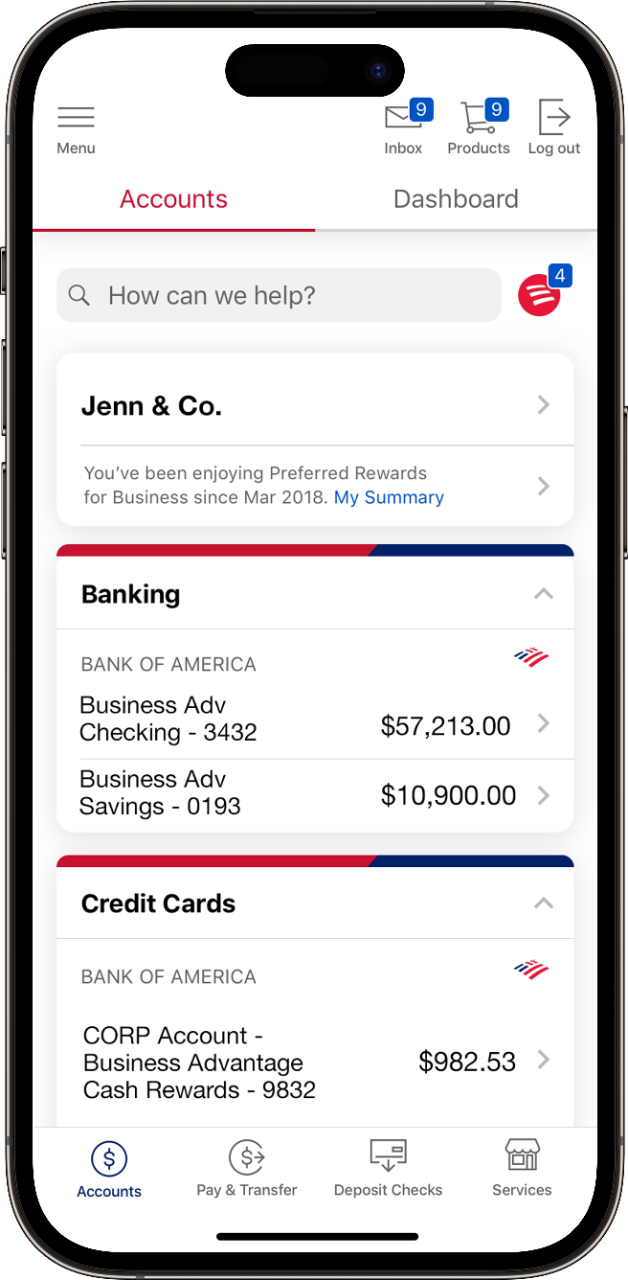
The mobile app has features not available on desktop. Mobile check deposit lets you deposit checks by snapping a photo. You can easily transfer funds between accounts with a few taps. The app also allows you to lock or unlock cards instantly. These tools make banking on your phone quick and easy.
Instant Notifications
Receive real-time alerts for account activity and transactions. Notifications help you monitor spending and detect fraud early. You get updates about deposits, payments, and suspicious activity. Instant alerts keep you informed and help protect your money.
Troubleshooting Tips
Bank of America Online Banking offers great convenience but sometimes issues arise. Troubleshooting helps resolve common problems fast.
Simple steps can fix most difficulties and get you back online quickly. Here are key tips to solve frequent issues.
Password Recovery
Forgot your password? Use the “Forgot ID or Password” link on the login page. Enter your User ID and email or phone number to verify your identity. Follow the instructions to create a new password. Choose a strong password with letters, numbers, and symbols. Avoid easy-to-guess phrases or common words.
Account Lockout Solutions
Too many wrong login attempts can lock your account. Wait 30 minutes before trying again to avoid further lockout. Clear your browser cache and cookies, then try logging in again. Reset your password if needed. If the problem continues, check if your account has any security holds. These may require contacting support.
Contacting Support
Customer service can help if problems persist. Call Bank of America’s support number listed on the website. Use the secure messaging feature inside your online account for help. Explain your issue clearly and provide relevant details, like error messages. Support is available 24/7 for urgent problems.
Credit: newsroom.bankofamerica.com
Managing Privacy
Managing privacy is a key part of using Bank of America Online Banking. The platform offers tools to control your personal information. These tools help you decide what data to share and how it is used. Keeping your account information safe is simple with clear settings. Understanding these options helps protect your privacy while banking online.
Privacy Settings
Bank of America Online Banking allows you to adjust privacy settings easily. You can control who sees your account details. The settings also let you manage communications from the bank. Choose options to receive alerts or marketing messages. Adjusting privacy settings ensures your information stays as private as you want. The process is user-friendly and can be updated anytime.
Data Sharing Preferences
You decide how Bank of America shares your data with third parties. The platform provides clear choices for data sharing preferences. Opt out of sharing your data for marketing purposes. Your preferences affect the types of offers you receive. Bank of America respects your choices and follows strict rules. Setting your data sharing preferences helps maintain control over your information.
Using Merrill Investing
Using Merrill Investing through Bank of America Online Banking brings your investment management to one convenient platform. You can easily track and control your investments alongside your bank accounts. This integration simplifies monitoring your financial health in one place.
Account Access
Access your Merrill Investing account directly from the Bank of America online dashboard. Log in once to view your checking, savings, and investment accounts. This unified login saves time and reduces hassle.
Your account details update in real time. You can check balances, review transactions, and see your portfolio performance anytime. The platform supports both desktop and mobile devices for flexibility.
Investment Tools
Merrill offers a range of tools to help you make informed decisions. Use interactive charts to analyze stock trends and market data. The platform provides research reports and expert insights tailored to your portfolio.
Set up alerts to stay informed about important market movements. You can also simulate trades and review potential outcomes without risk. These features empower you to manage investments confidently.
Frequently Asked Questions
How Do I Enroll In Bank Of America Online Banking?
To enroll, visit bankofamerica. com and click “Enroll” in the login box. Verify your identity using your card or account number, Social Security number, and email. Then enter the authorization code sent to your email to complete enrollment.
What Features Does Bank Of America Online Banking Offer?
You can manage checking, savings, credit, and Merrill accounts. Features include transferring funds, paying bills electronically, depositing checks via mobile, and managing card security. Alerts and security tools help keep your account safe.
Is Bank Of America Online Banking Secure?
Yes, it uses encryption and advanced security measures to protect your data. You can set alerts and monitor your security level via the Security Center. Avoid saving your User ID on public computers.
Can I Deposit Checks Using The Mobile App?
Yes, you can deposit checks by taking a photo with the Bank of America mobile app. This feature provides instant confirmation and is convenient for managing your deposits remotely.
Conclusion
Bank of America Online Banking makes managing money simple and fast. You can check balances, pay bills, and transfer funds anytime. The mobile app adds convenience with features like mobile deposits and card controls. Security tools help keep your account safe and alert you to activity.
Enrolling is easy and quick, requiring just a few steps online. Using these services can save time and help you stay organized. Banking becomes more flexible and accessible with Bank of America’s online tools. Try it to experience easy account management from anywhere.